How to download and install in less than 5 minutes
Learn here how to easy download and install Video Downloader Ultimate to start downloading or converting videos from YouTube, Facebook, Vimeo or many other sites
Download Video Downloader Ultimate
Install Video Downloader Ultimate - Win App. You can download unlimited videos from the internet.
How to install Video Downloader Ultimate
Chrome
Please wait until the installer is completely downloaded. You can find the download progress at the bottom-left of your browser.

When you see the blue arrow, click it to start the installation.

The installer is started, please follow the instructions in the installer dialog.
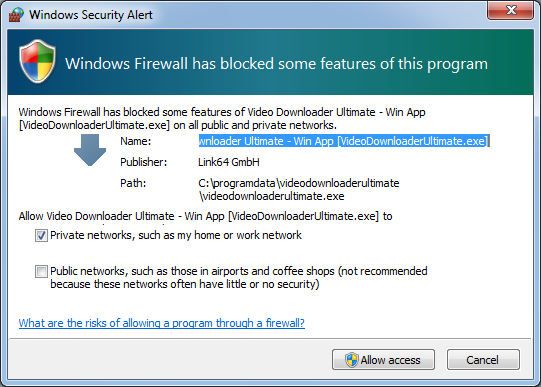
Important: When you first start VDU a Windows alert appears. It is crucial that you allow the access. Only in this way VDU can recognize videos played in the browser and offer them to download.
Firefox
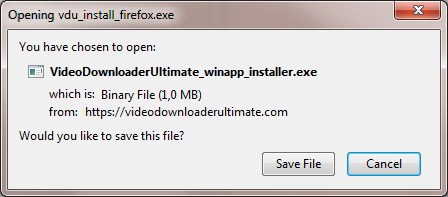
Click "Save File" to download the installer.
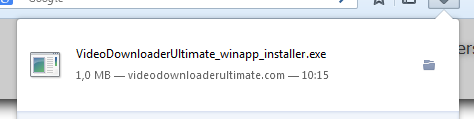
Wait until the installation file is completely downloaded. You can see progress in the top-right toolbar.

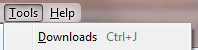
When you see the green arrow, click it. If "Downloads" is missing, open it from the main menu.

If needed, open the Downloads panel from the Firefox main menu.
Click the just-downloaded installer file.
Important: When you first start VDU a Windows alert appears. It is crucial that you allow the access. Only in this way VDU can recognize videos played in the browser and offer them to download.
Internet Explorer / Safari / Other browsers
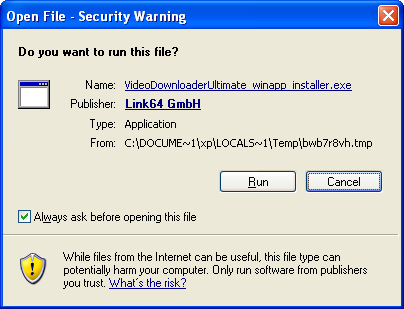
After downloading, click "Run" to start the installer and follow the setup dialog.

For Safari, an additional dialog may appear. Click "Run" again.
Important: When you first start VDU a Windows alert appears. It is crucial that you allow the access. Only in this way VDU can recognize videos played in the browser and offer them to download.
Activation
- Start Video Downloader Ultimate and select the menu entry "Enter activation code".
- Enter the code and your email address.
- Now Video Downloader Ultimate is ready to use.